
多贝的图画故事
放上小伙伴,编出自己的故事
这是什么玩法
- 选一个背景,放进一个小伙伴,再决定他在做什么、心情如何。
- 放上物品、加上气泡,一格就完成了。一本漫画最多二十格。
- 拖动格子改变顺序。先、然后、接着、最后——故事的骨架。
- 做完以后,看故事。这是孩子把平板转过来给你看的那一屏。
孩子学到什么
不考试,也不打分。学习就在材料里。
- 词语——背景60种、物品852件、小伙伴20个。手指碰到的每一样都有名字。
- 情绪——选一张脸,就是选一种心情:开心、难过、惊讶、好奇。
- 顺序——重新排列格子本身就是练习。没有排错的顺序。
- 说和写——还不会写字的孩子点一下词语放进去,会写的自己打。
给家长
- 没有标准答案。没有要填的空,没有分数,没有星星。孩子做出来的就是答案。
- 不催促。不发通知,也没有连续打卡。
- 没有广告和内购。没有孩子会误按到的东西。
- 没有展示别的孩子作品的地方。这里没有让孩子彼此看见的空间。
- 记录都留在这台设备里。除非大人绑定账号,否则不收集任何信息,绑不绑由家长自己决定。
- 设置在长按三秒的家长确认之后。
What each screen is for
Written so you can read it aloud to your child if that helps.
Look at the ⚙ at the top right first. Everything a grown-up needs is behind it — language, sound, saving a picture, deleting a story, linking an account. It opens only after a three-second press-and-hold, so a child will not wander in.
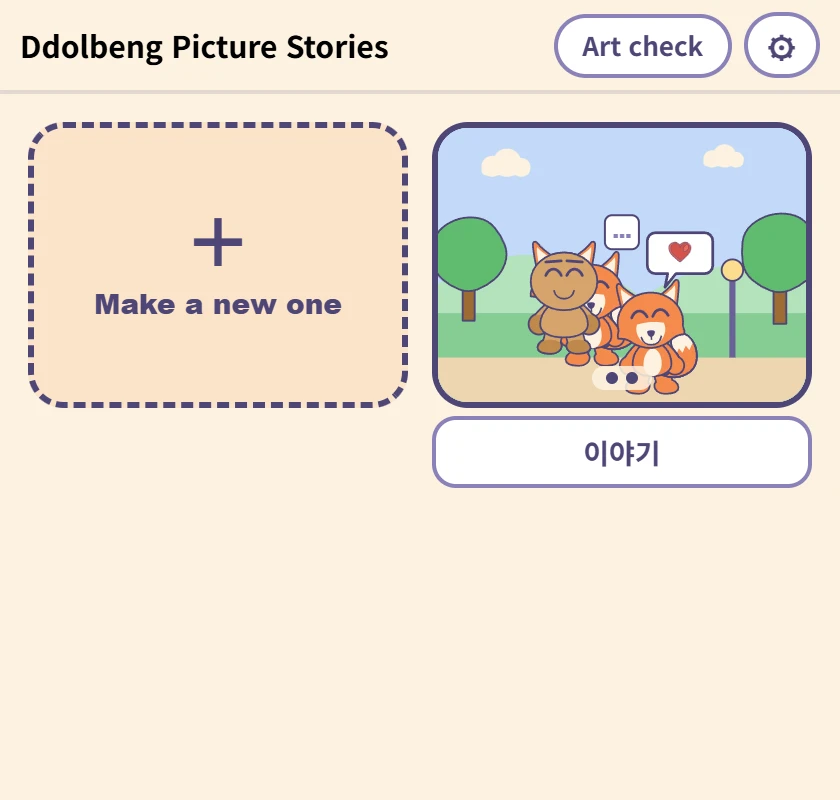
The list
Where the stories a child has made live. The picture is the first panel, and the box underneath is the name — type in it and it saves, with nothing to press. It comes with a name already, for children who cannot write one yet.
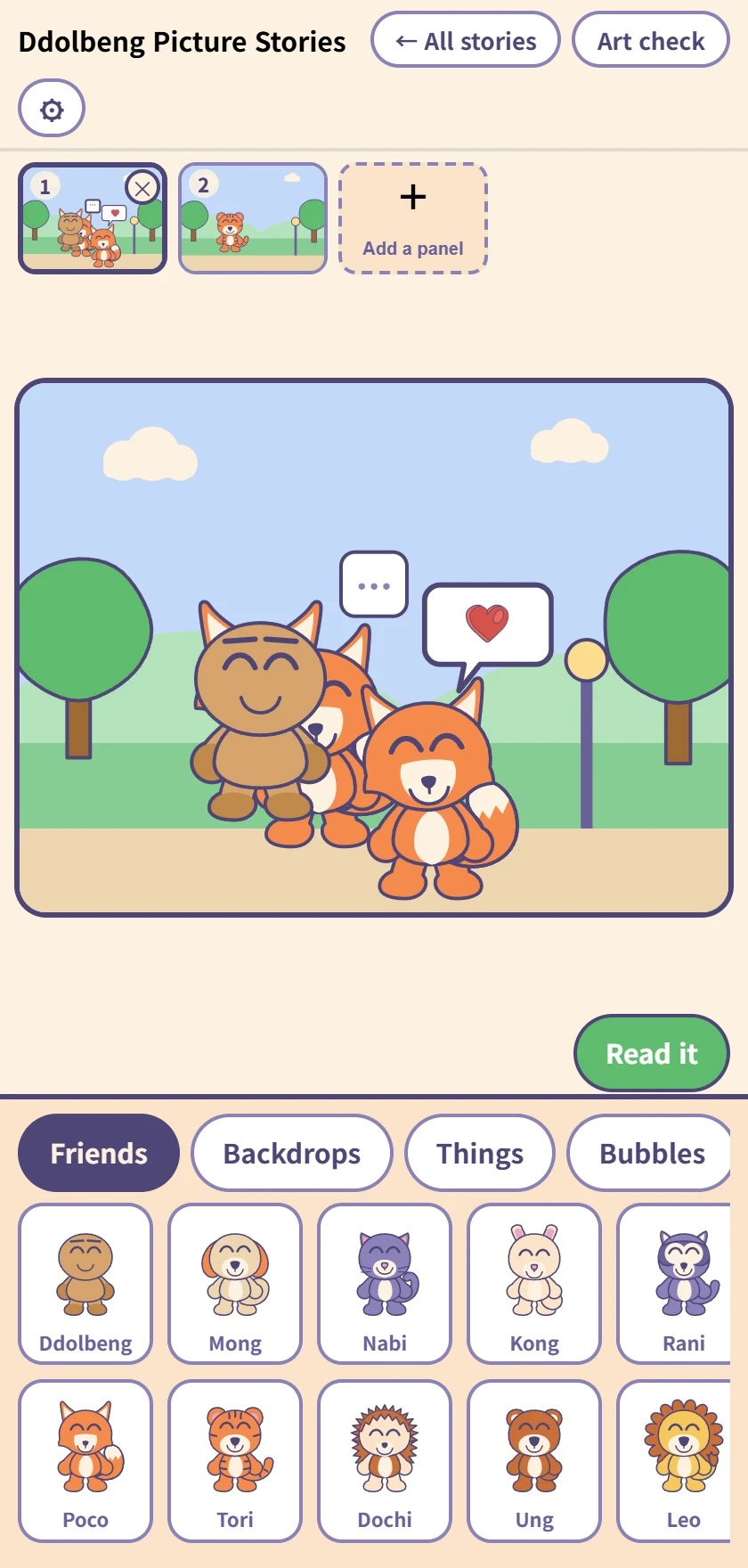
Making a comic
The row of panels at the top, the panel being worked on in the middle, and the drawer below. Tap a friend, backdrop, thing or bubble to put it in; once it is in, it drags.
Up to twenty panels, and dragging the little pictures at the top changes their order. Undo and redo reach everything.
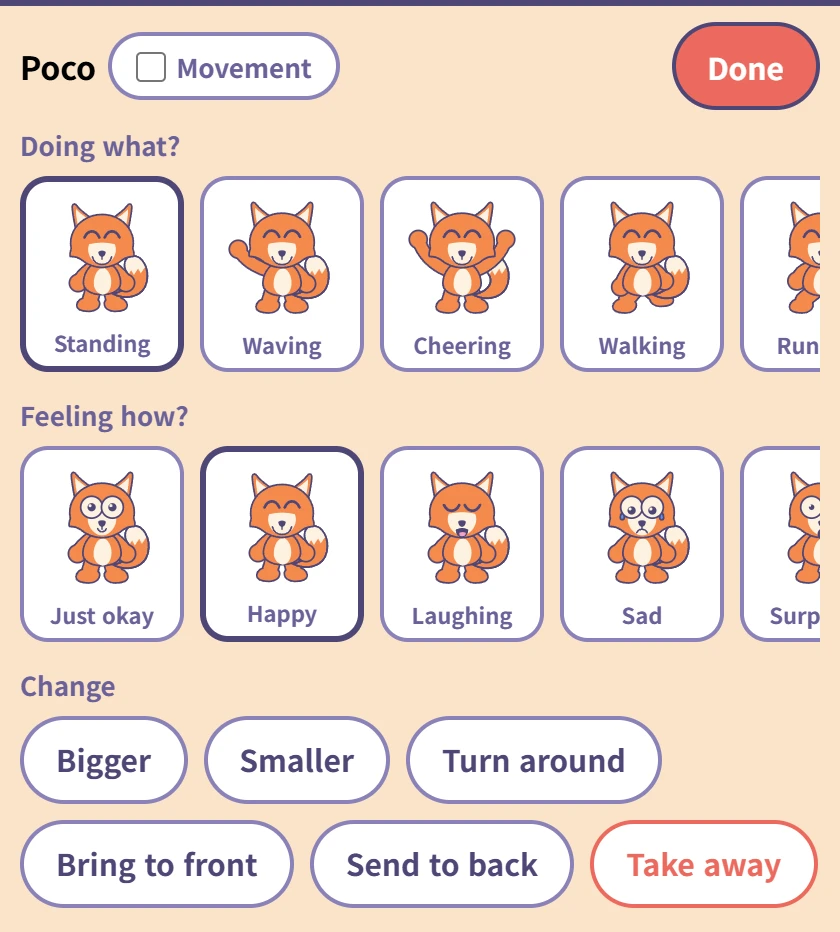
Tapping a friend you placed
Choose what they are doing (ten poses) and how they feel (ten faces). Each one has its word underneath, so a child who cannot read yet still meets the word when you read it to them.
The Movement tick beside the name makes that friend move on screen — saved pictures always show them still. The red Done at the top right goes back to the drawer.
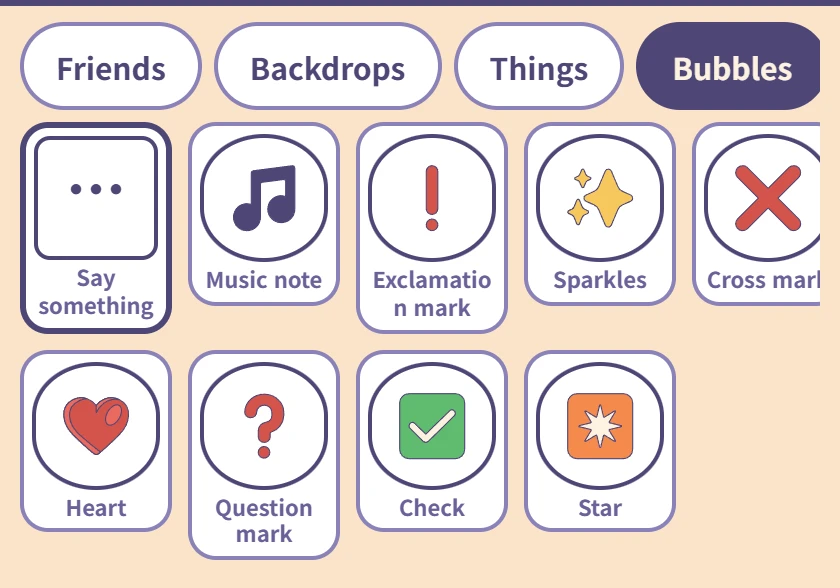
Bubbles
Only Say something, on the left, takes words. A child who cannot spell taps in Hi! · Thank you · Let's play; one who can, types.
The rest are picture bubbles — a heart, a music note, a question mark, and nothing to type.
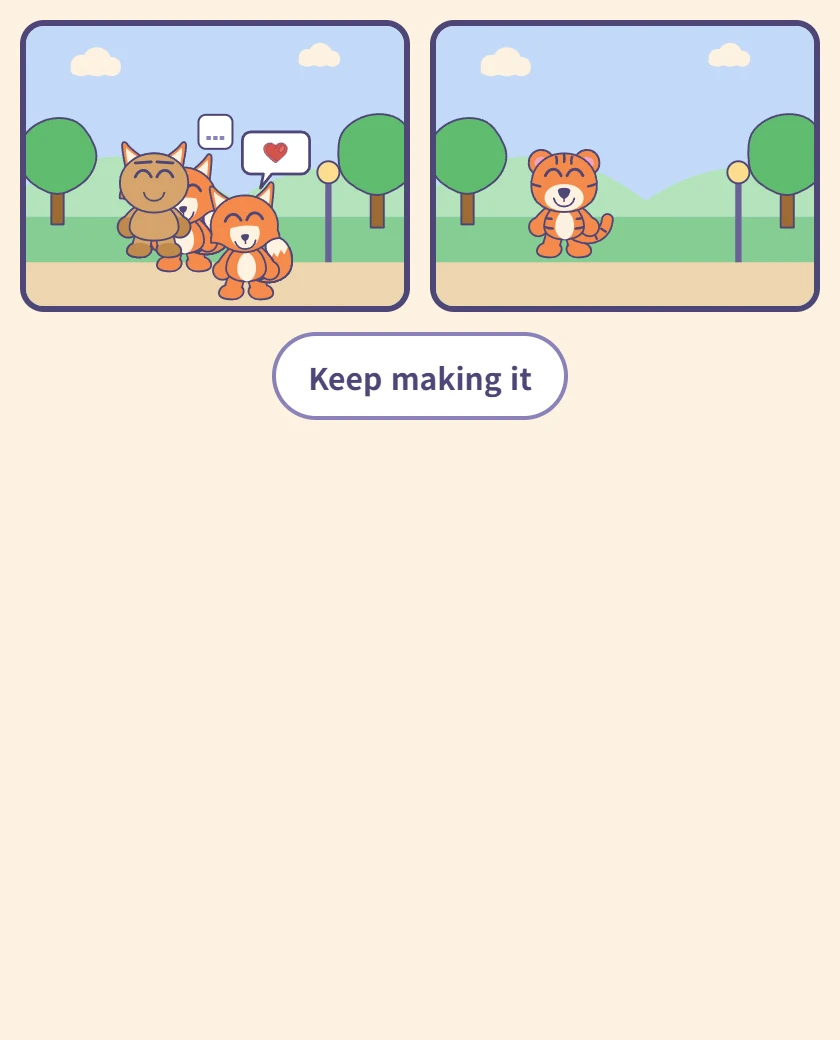
Reading it
The panels in order on one screen. This is the screen a child turns the tablet around with, so there is nothing else on it.
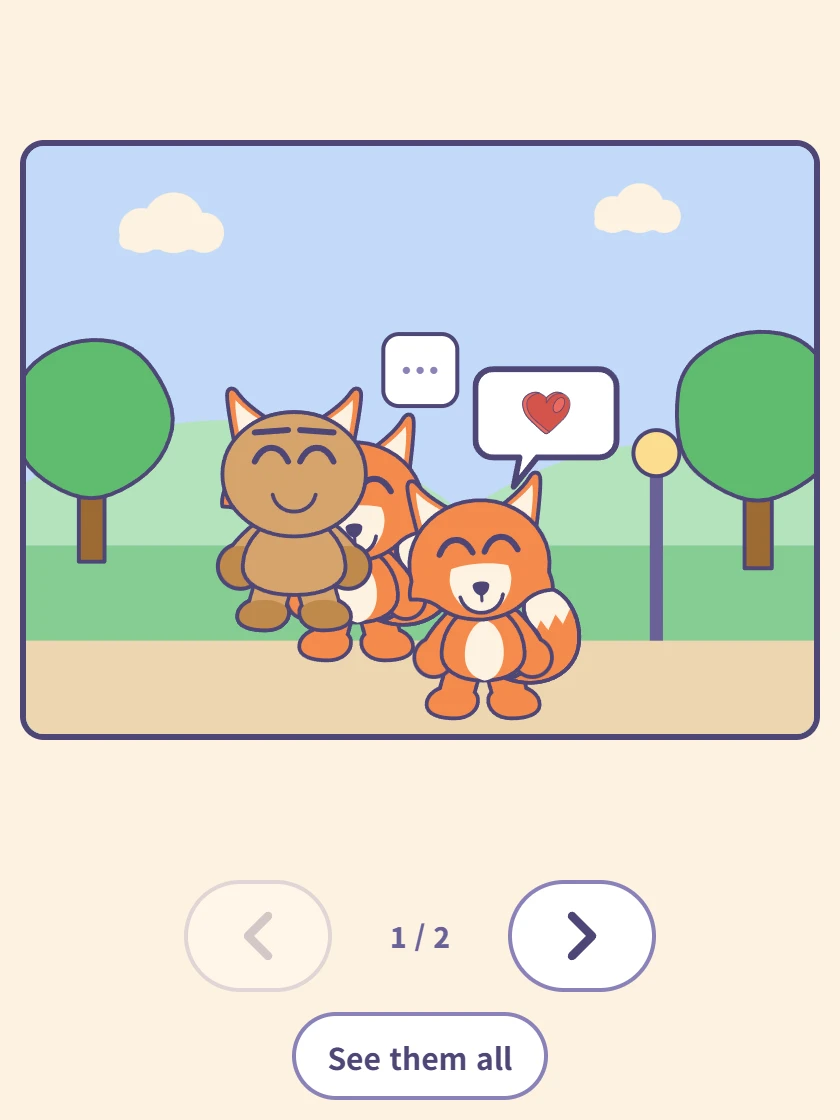
One panel at a time
Tap a panel and it fills the screen. The arrows underneath move forward and back, and the counter shows where you are.
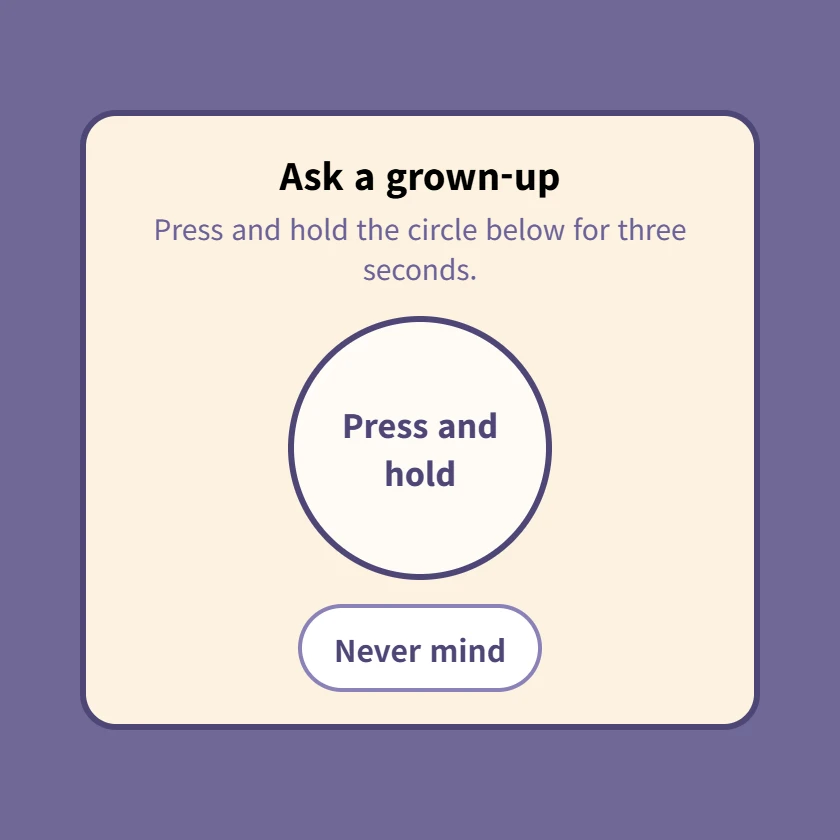
⚙ The grown-up check
Pressing ⚙ brings this up first. Hold the circle for three seconds; letting go starts it over. Settings and account linking are all behind it.
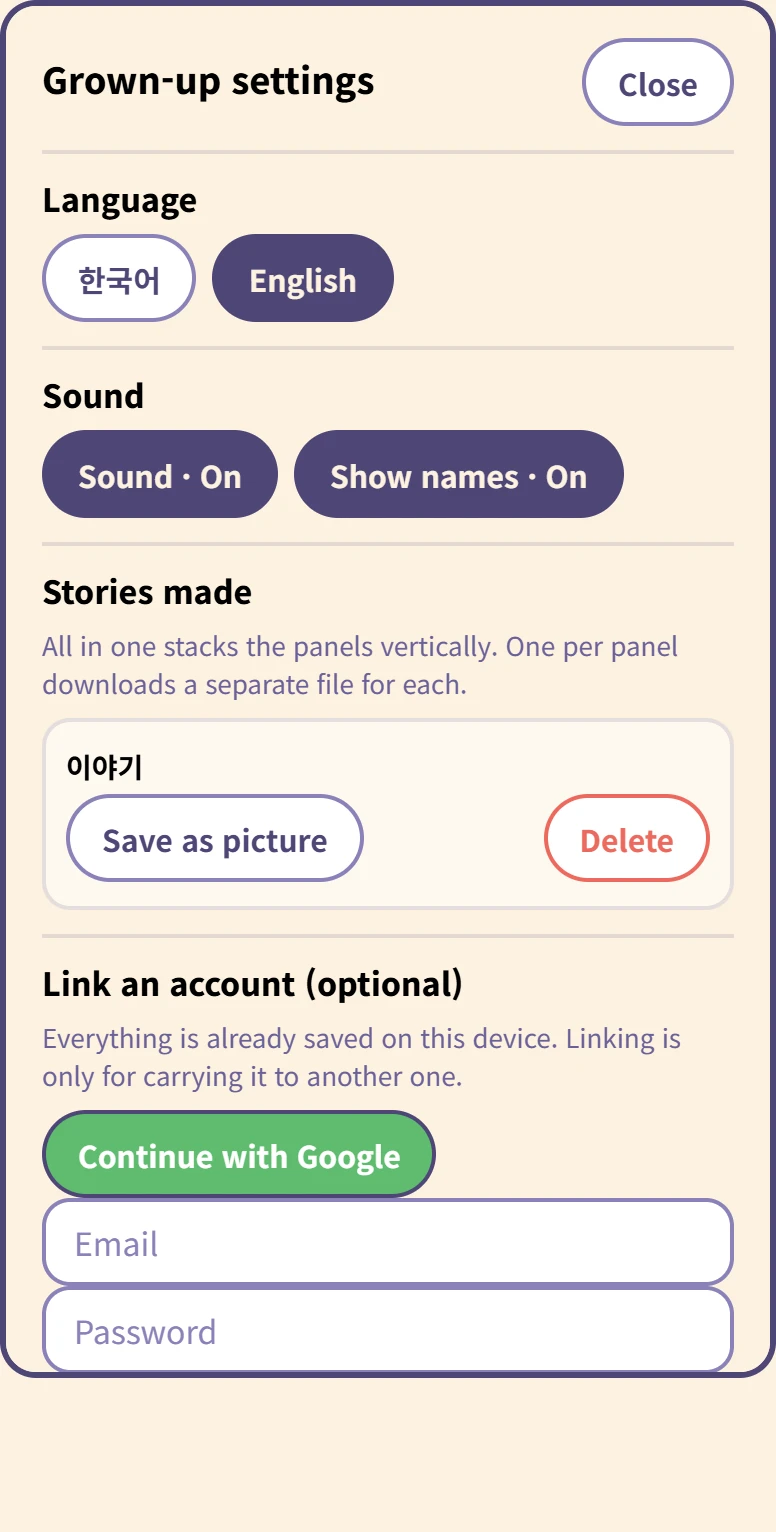
Inside the grown-up settings
Language and sound, and for each story Save as picture and Delete.
Saving asks whether you want all in one (panels stacked vertically) or one per panel. Deleting asks again, because it cannot be undone.
At the bottom, linking an account is optional. Everything is already on this device, and nothing uploads by itself.
怎么保存
没有保存按钮。孩子做的时候一直存在这台设备里,关掉标签页也还在。五岁的孩子不会去按保存,而一本因为关掉页面而丢掉的漫画,就是白做了。
绑定账号是另一回事——只在想把漫画带到别的设备时才需要,而且只有大人自己按下时才会上传。
需要准备什么
什么都不用。不安装、不注册,在浏览器里直接打开。