
Ddolbengs Bildergeschichten
Setz deine Freunde hinein und erfinde deine eigene Geschichte
Was es ist
- Einen Hintergrund wählen, einen Freund hineinsetzen und festlegen, was er tut und wie er sich fühlt.
- Dinge dazustellen und eine Sprechblase, und ein Panel ist fertig. Bis zu zwanzig Panels in einem Comic.
- Die Panels lassen sich in eine andere Reihenfolge ziehen. Zuerst, dann, danach, zuletzt - das Gerüst einer Geschichte.
- Wenn es fertig ist, wird es gelesen. Das ist der Bildschirm, mit dem ein Kind das Tablet herumdreht.
Alle sechzehn Spiele in einem Video
Was ein Kind lernt
Nichts wird geprüft und nichts wird bewertet. Das Lernen steckt im Material.
- Wörter - 60 Hintergründe, 852 Dinge, 20 Freunde. Alles, worauf ein Finger landet, hat einen Namen.
- Gefühle - ein Gesicht zu wählen heißt, ein Gefühl zu wählen: froh, traurig, überrascht, neugierig.
- Reihenfolge - das Umsortieren der Panels ist die Übung. Es gibt keine falsche Reihenfolge.
- Sprechen und Schreiben - ein Kind, das noch nicht schreiben kann, tippt ein Wort hinein; eines, das es kann, schreibt selbst.
Für Eltern
- Es gibt keine richtige Antwort. Keine Lücken zum Ausfüllen, keine Punkte, keine Sterne. Was das Kind gemacht hat, ist die Antwort.
- Kein Drängeln. Keine Benachrichtigungen und keine Serien.
- Keine Werbung und keine Käufe. Nichts, was ein Kind versehentlich drücken kann.
- Keine Galerie mit den Werken anderer Kinder. Es gibt hier keinen Ort, an dem Kinder einander sehen.
- Alles bleibt auf diesem Gerät. Es wird nichts erhoben, solange kein Erwachsener ein Konto verknüpft, und diese Entscheidung liegt bei ihm.
- Die Einstellungen liegen hinter einem drei Sekunden langen Drücken und Halten.
What each screen is for
Written so you can read it aloud to your child if that helps.
Look at the ⚙ at the top right first. Everything a grown-up needs is behind it — language, sound, saving a picture, deleting a story, linking an account. It opens only after a three-second press-and-hold, so a child will not wander in.
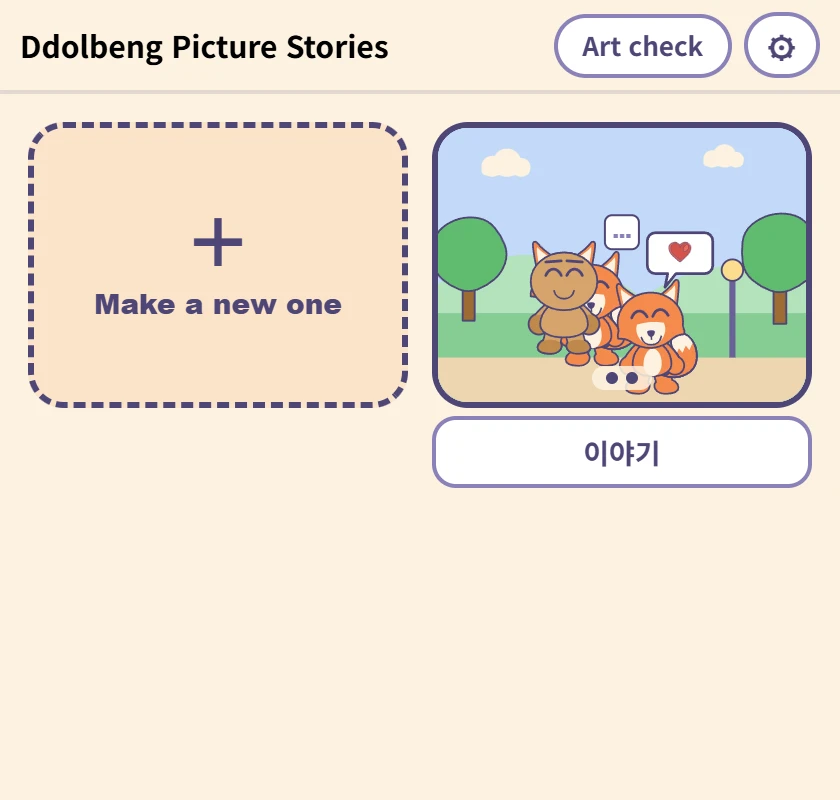
The list
Where the stories a child has made live. The picture is the first panel, and the box underneath is the name — type in it and it saves, with nothing to press. It comes with a name already, for children who cannot write one yet.
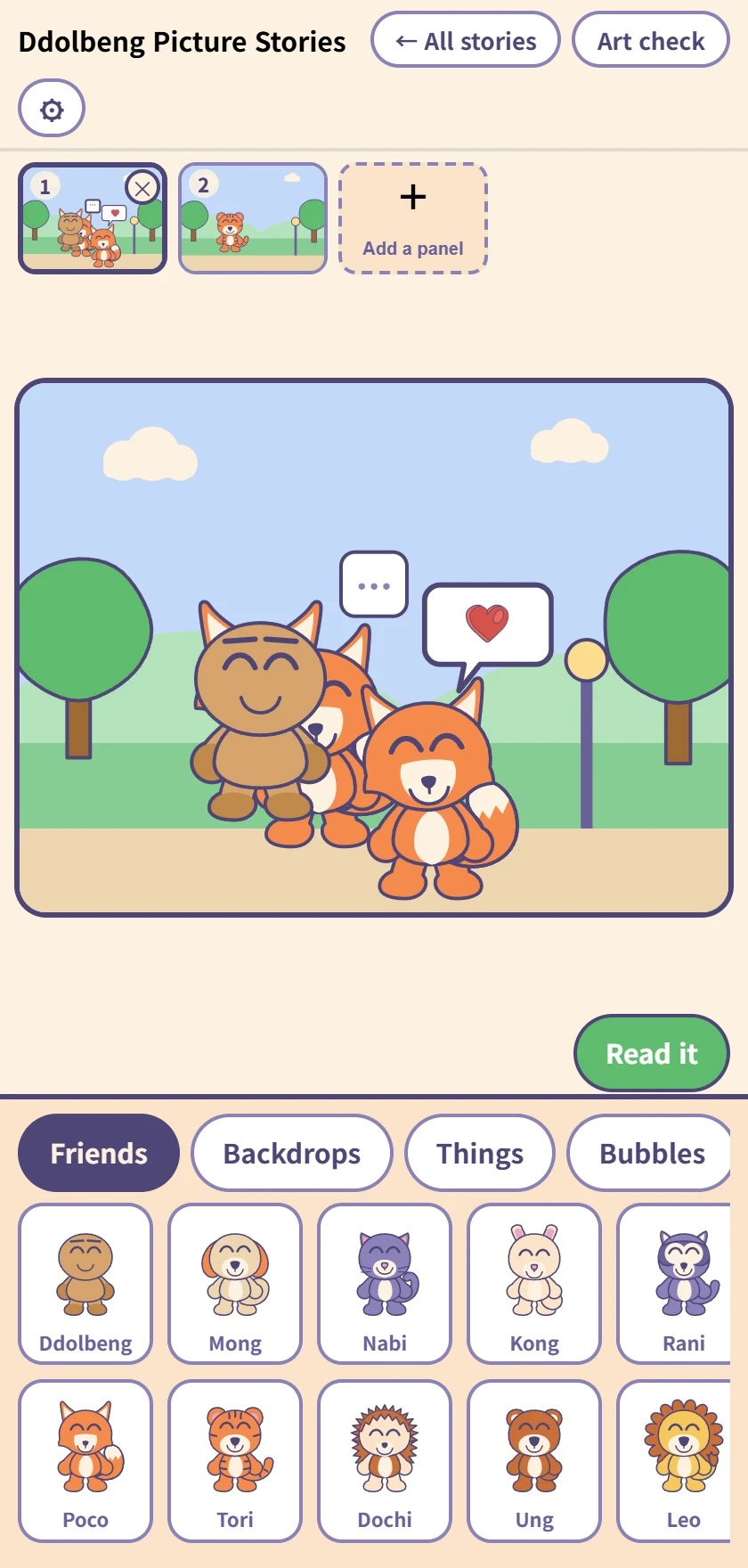
Making a comic
The row of panels at the top, the panel being worked on in the middle, and the drawer below. Tap a friend, backdrop, thing or bubble to put it in; once it is in, it drags.
Up to twenty panels, and dragging the little pictures at the top changes their order. Undo and redo reach everything.
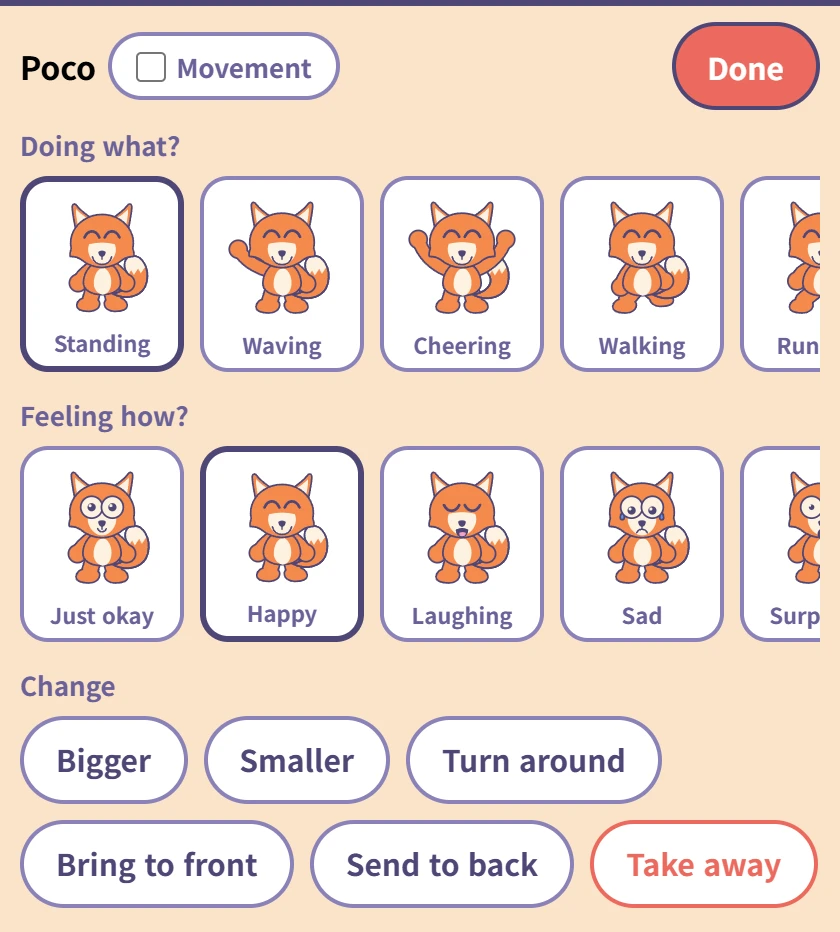
Tapping a friend you placed
Choose what they are doing (ten poses) and how they feel (ten faces). Each one has its word underneath, so a child who cannot read yet still meets the word when you read it to them.
The Movement tick beside the name makes that friend move on screen — saved pictures always show them still. The red Done at the top right goes back to the drawer.
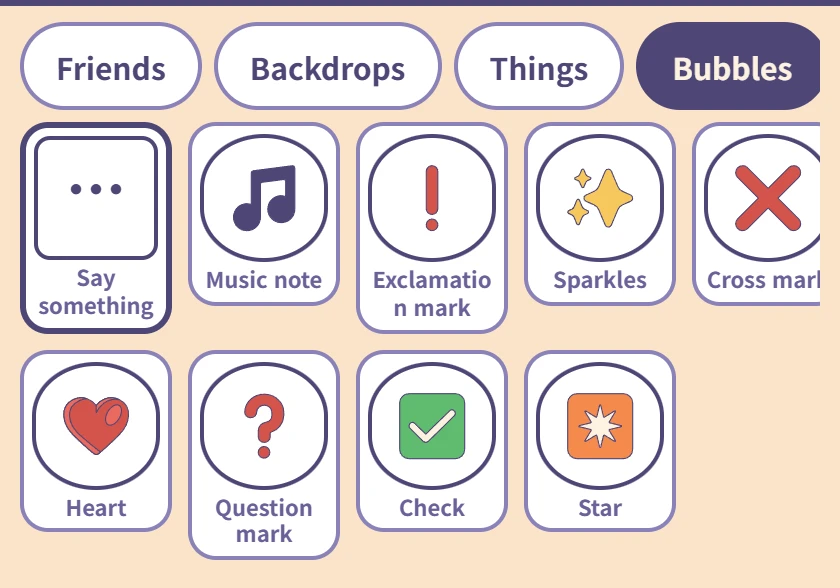
Bubbles
Only Say something, on the left, takes words. A child who cannot spell taps in Hi! · Thank you · Let's play; one who can, types.
The rest are picture bubbles — a heart, a music note, a question mark, and nothing to type.
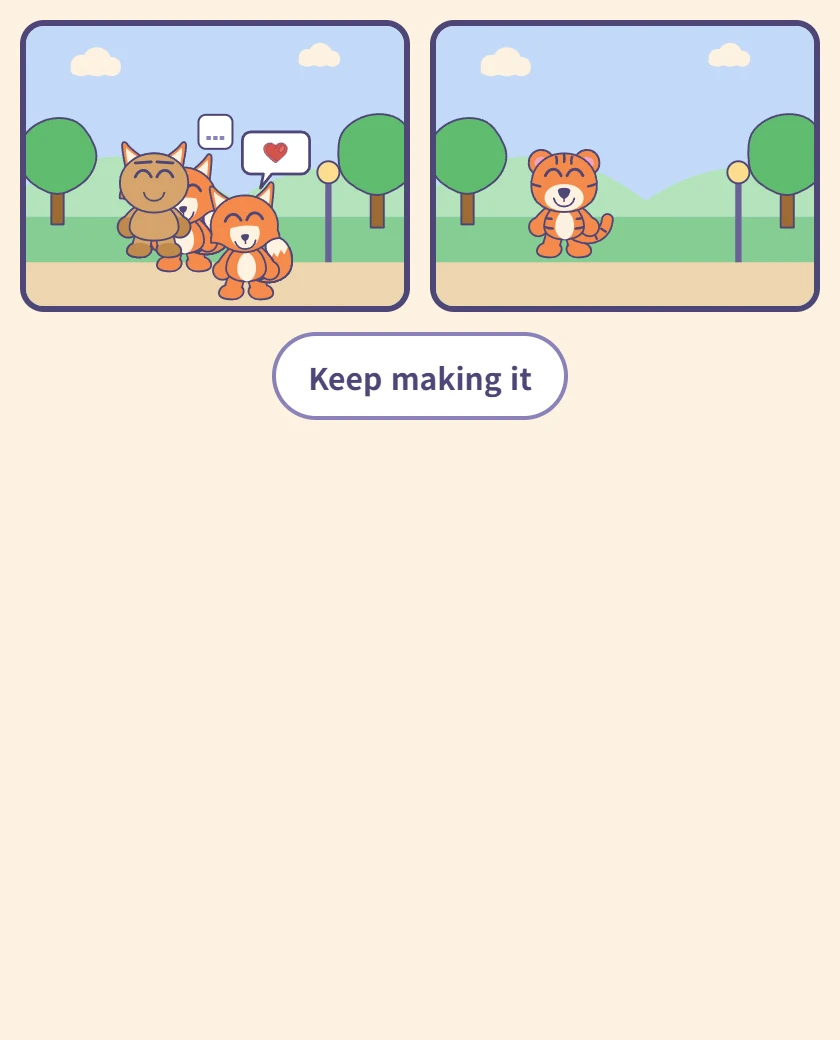
Reading it
The panels in order on one screen. This is the screen a child turns the tablet around with, so there is nothing else on it.
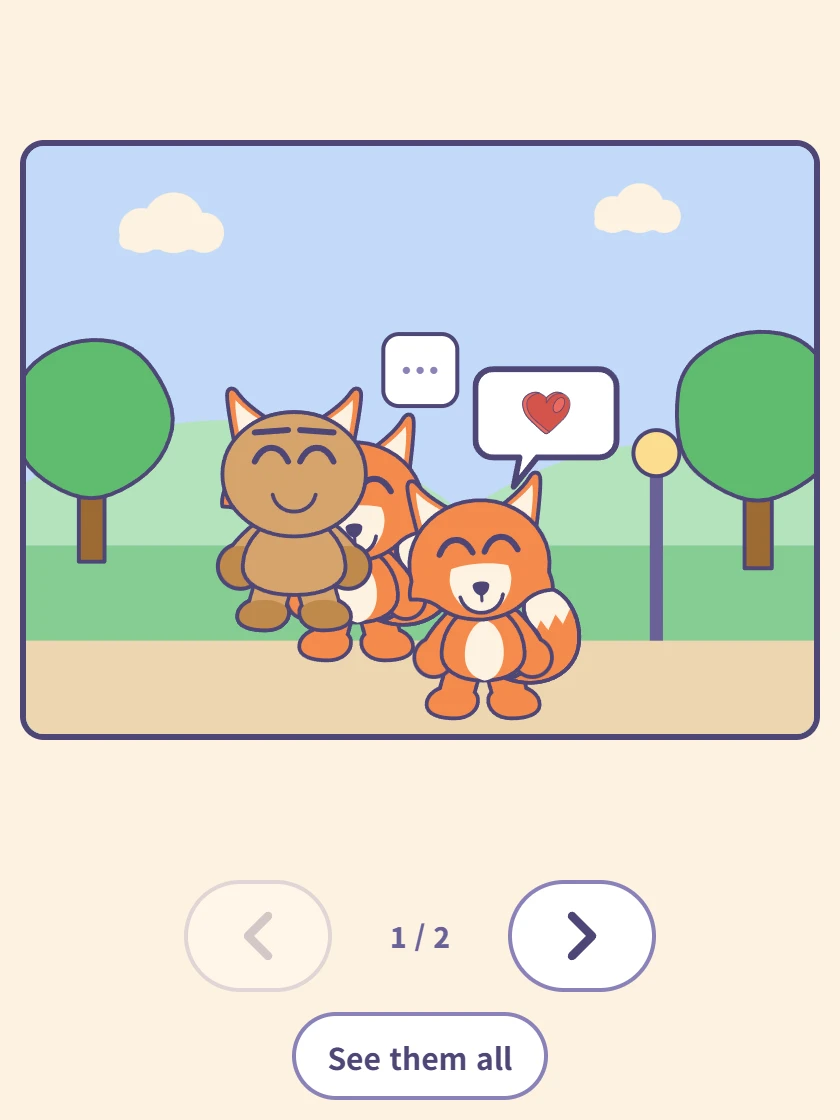
One panel at a time
Tap a panel and it fills the screen. The arrows underneath move forward and back, and the counter shows where you are.
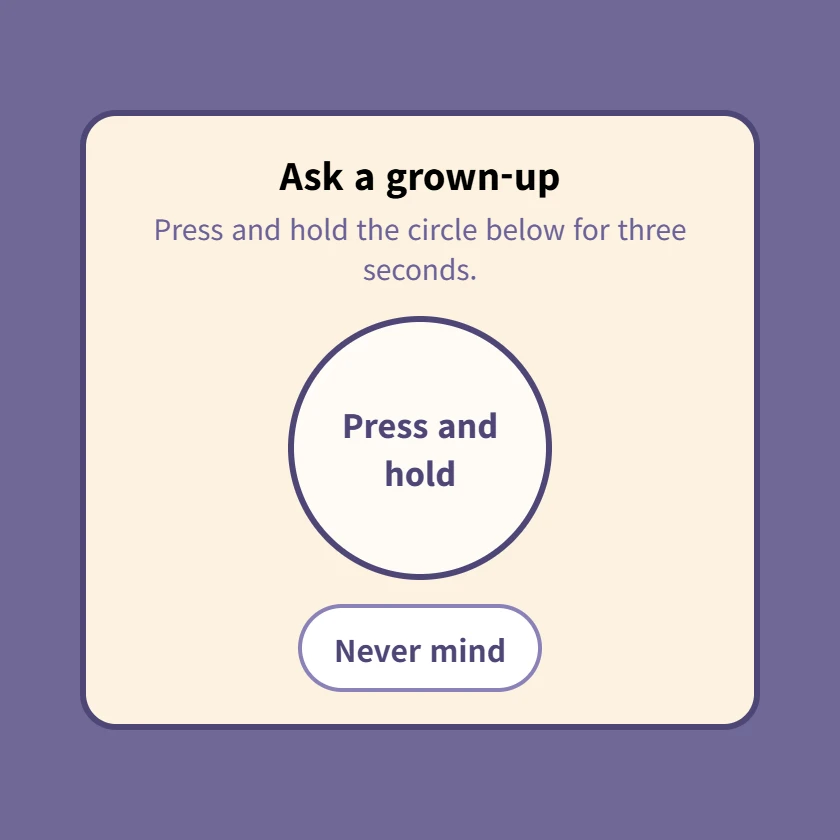
⚙ The grown-up check
Pressing ⚙ brings this up first. Hold the circle for three seconds; letting go starts it over. Settings and account linking are all behind it.
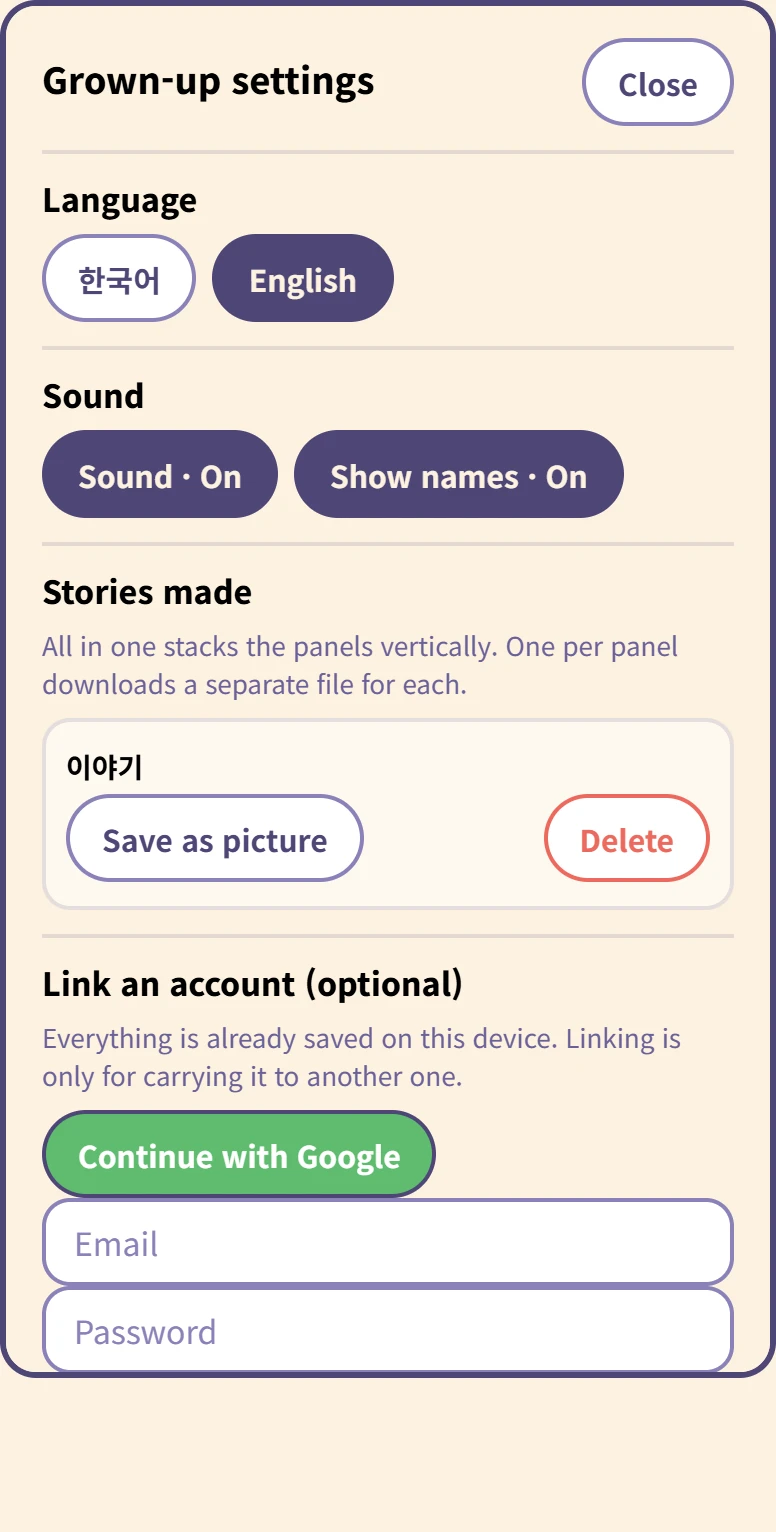
Inside the grown-up settings
Language and sound, and for each story Save as picture and Delete.
Saving asks whether you want all in one (panels stacked vertically) or one per panel. Deleting asks again, because it cannot be undone.
At the bottom, linking an account is optional. Everything is already on this device, and nothing uploads by itself.
Wie das Speichern funktioniert
Es gibt keinen Speichern-Knopf. Der Comic bleibt auf diesem Gerät, während das Kind arbeitet, und er ist noch da, wenn der Tab geschlossen wird. Ein fünfjähriges Kind drückt nicht auf Speichern, und ein Comic, der mit einem geschlossenen Tab verloren geht, ist ein Comic, den es umsonst gemacht hat.
Ein Konto zu verknüpfen ist etwas anderes - es dient nur dazu, Comics auf ein anderes Gerät mitzunehmen, und hochgeladen wird nur, wenn ein Erwachsener es drückt.
Was man braucht
Nichts. Es öffnet sich im Browser, ohne Installation und ohne Anmeldung.