
ドルベンのえほん
ともだちを ならべて じぶんの おはなしを つくろう
どんな遊びですか
- 背景を選び、友だちを置いて、何をしているか、どんな気持ちかを決めます。
- 物を置いて吹き出しをつければ、コマが一つできあがります。一つのまんがにコマは20個まで。
- コマをドラッグして順番を入れかえます。はじめ、つぎ、それから、さいご — お話の骨組みです。
- できあがったらお話を見るで読みます。子どもがタブレットを回して見せる画面です。
子どもが学ぶこと
テストも点数もありません。学びは素材の中にあります。
- ことば — 背景60、物852、友だち20。指がふれるものすべてに名前があります。
- 気持ち — 表情を選ぶことが、そのまま気持ちを選ぶことです。うれしい、かなしい、びっくり、ふしぎ。
- 順番 — コマを並べかえること自体が練習です。まちがった順番はありません。
- 話すことと書くこと — まだ字が書けない子はことばのチップを押して入れ、書ける子は自分で打ちます。
保護者の方へ
- 正解がありません。埋めるべき空欄も、点数も、星もありません。子どもがつくったものが答えです。
- せかしません。通知は送らず、連続記録のようなものもありません。
- 広告も課金もありません。子どもがまちがえて押すものがありません。
- ほかの子の作品を見る場所がありません。子ども同士が見え合う場所はつくっていません。
- 記録はこの端末に残ります。大人がアカウントを連携しないかぎり集める情報はなく、連携は保護者が自分で選ぶものです。
- 設定は3秒の長押し確認の先にあります。
What each screen is for
Written so you can read it aloud to your child if that helps.
Look at the ⚙ at the top right first. Everything a grown-up needs is behind it — language, sound, saving a picture, deleting a story, linking an account. It opens only after a three-second press-and-hold, so a child will not wander in.
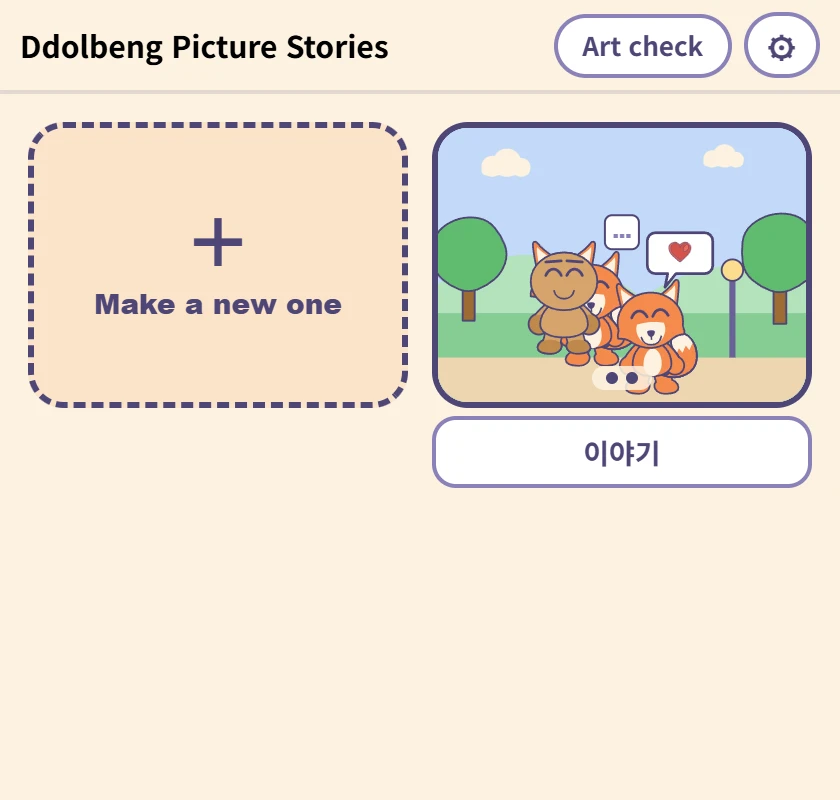
The list
Where the stories a child has made live. The picture is the first panel, and the box underneath is the name — type in it and it saves, with nothing to press. It comes with a name already, for children who cannot write one yet.
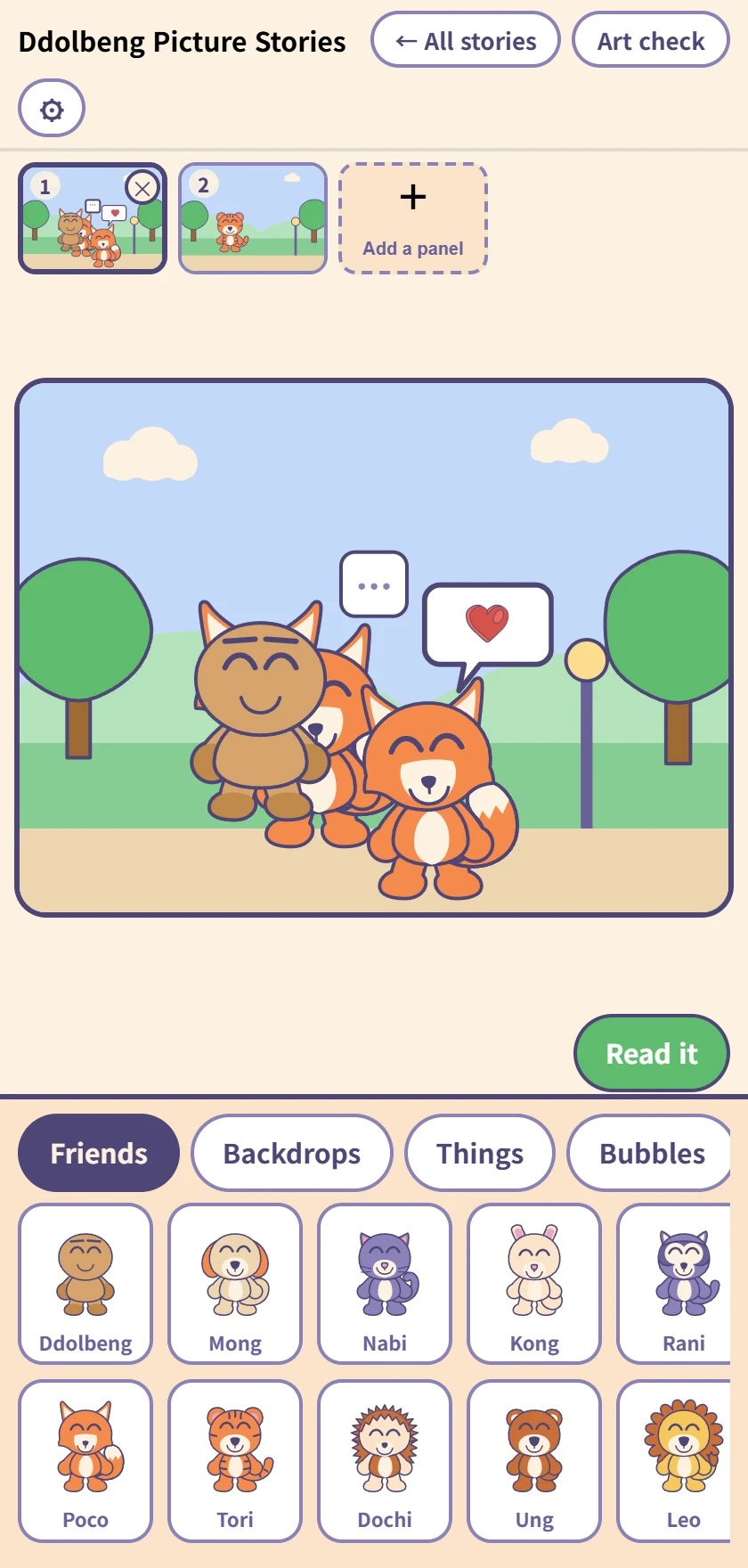
Making a comic
The row of panels at the top, the panel being worked on in the middle, and the drawer below. Tap a friend, backdrop, thing or bubble to put it in; once it is in, it drags.
Up to twenty panels, and dragging the little pictures at the top changes their order. Undo and redo reach everything.
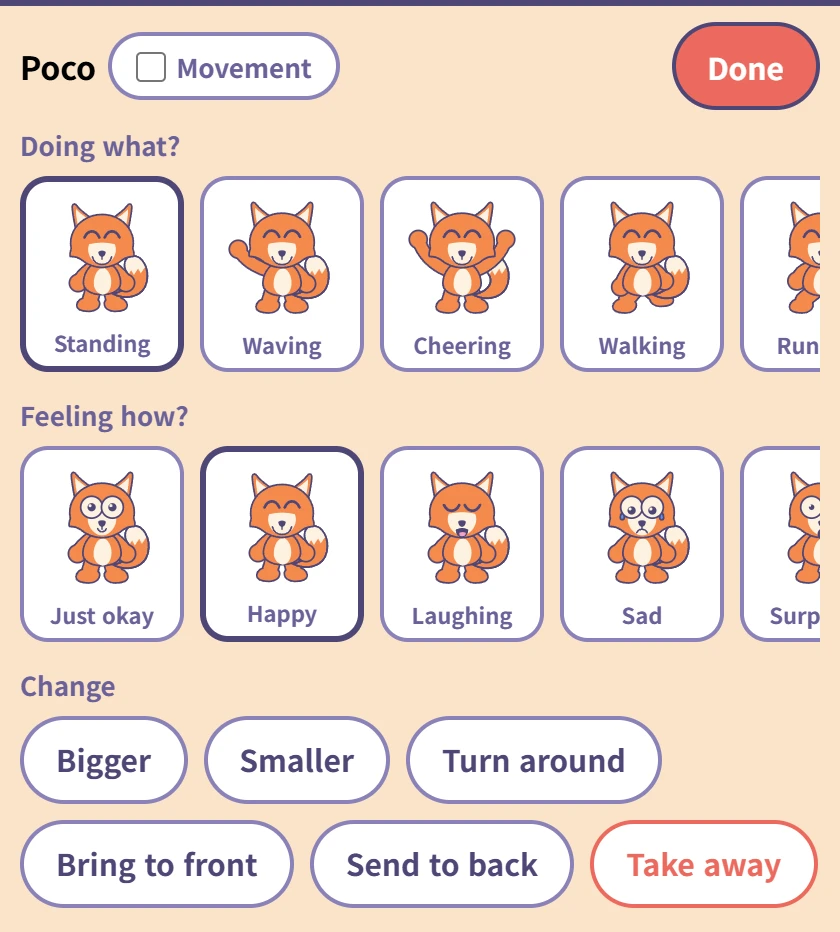
Tapping a friend you placed
Choose what they are doing (ten poses) and how they feel (ten faces). Each one has its word underneath, so a child who cannot read yet still meets the word when you read it to them.
The Movement tick beside the name makes that friend move on screen — saved pictures always show them still. The red Done at the top right goes back to the drawer.
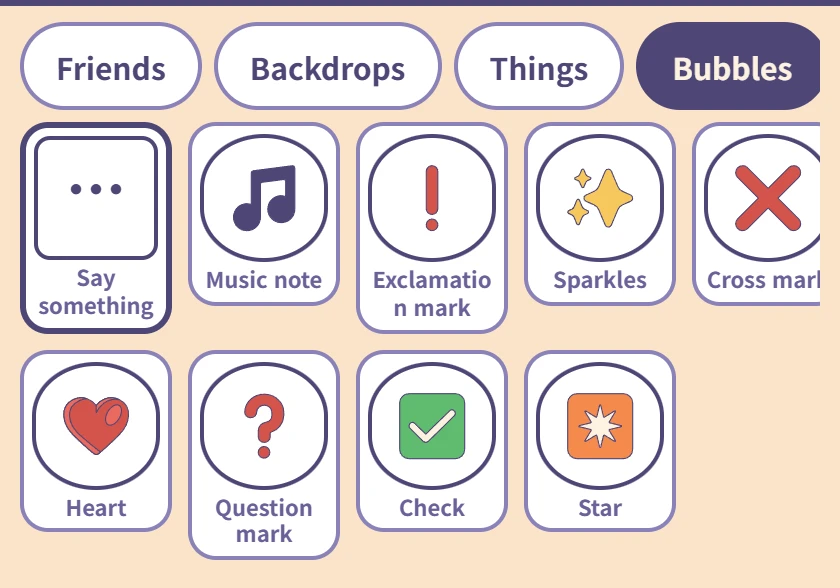
Bubbles
Only Say something, on the left, takes words. A child who cannot spell taps in Hi! · Thank you · Let's play; one who can, types.
The rest are picture bubbles — a heart, a music note, a question mark, and nothing to type.
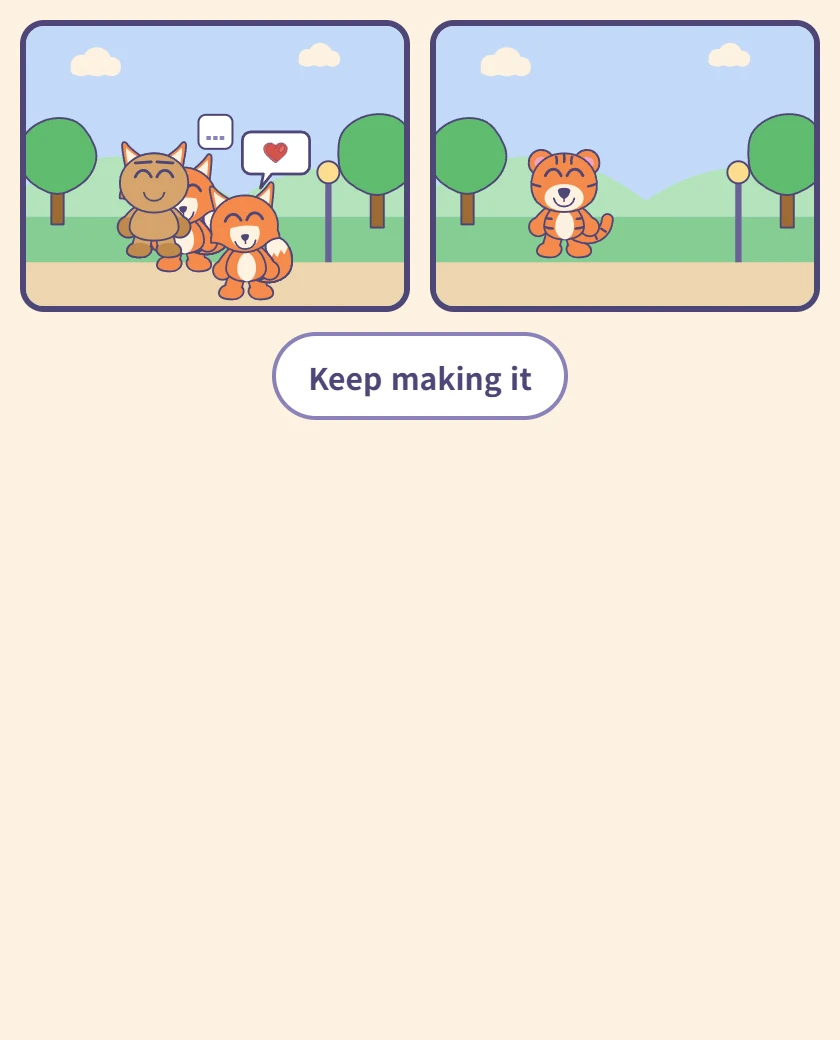
Reading it
The panels in order on one screen. This is the screen a child turns the tablet around with, so there is nothing else on it.
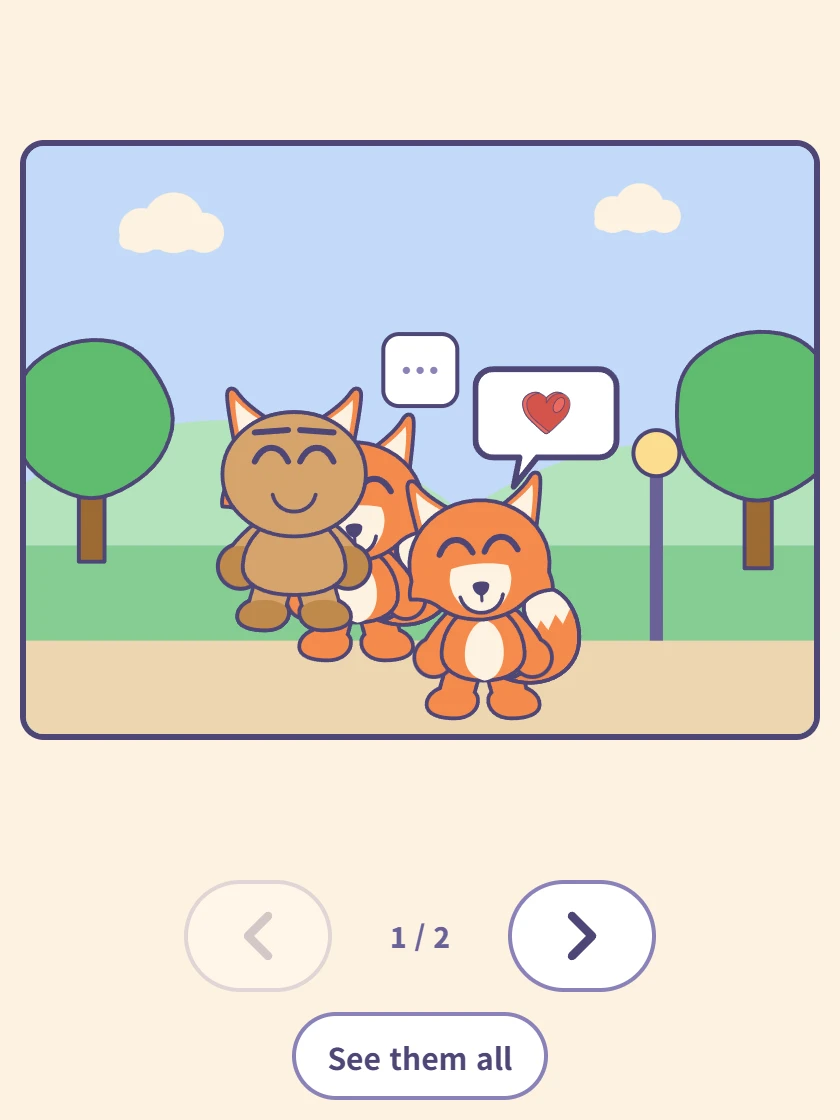
One panel at a time
Tap a panel and it fills the screen. The arrows underneath move forward and back, and the counter shows where you are.
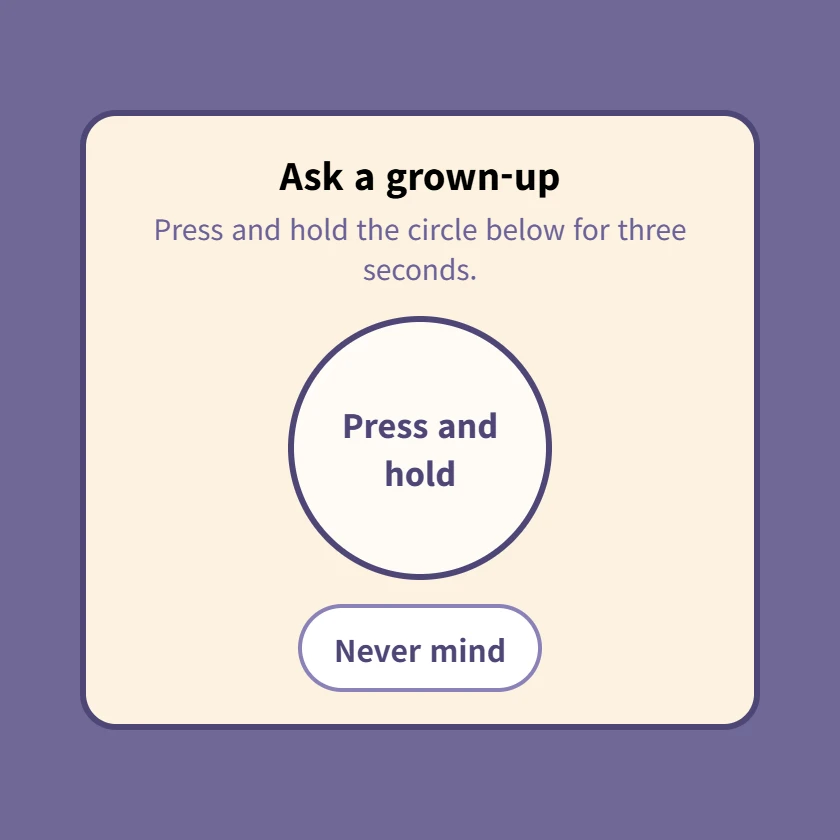
⚙ The grown-up check
Pressing ⚙ brings this up first. Hold the circle for three seconds; letting go starts it over. Settings and account linking are all behind it.
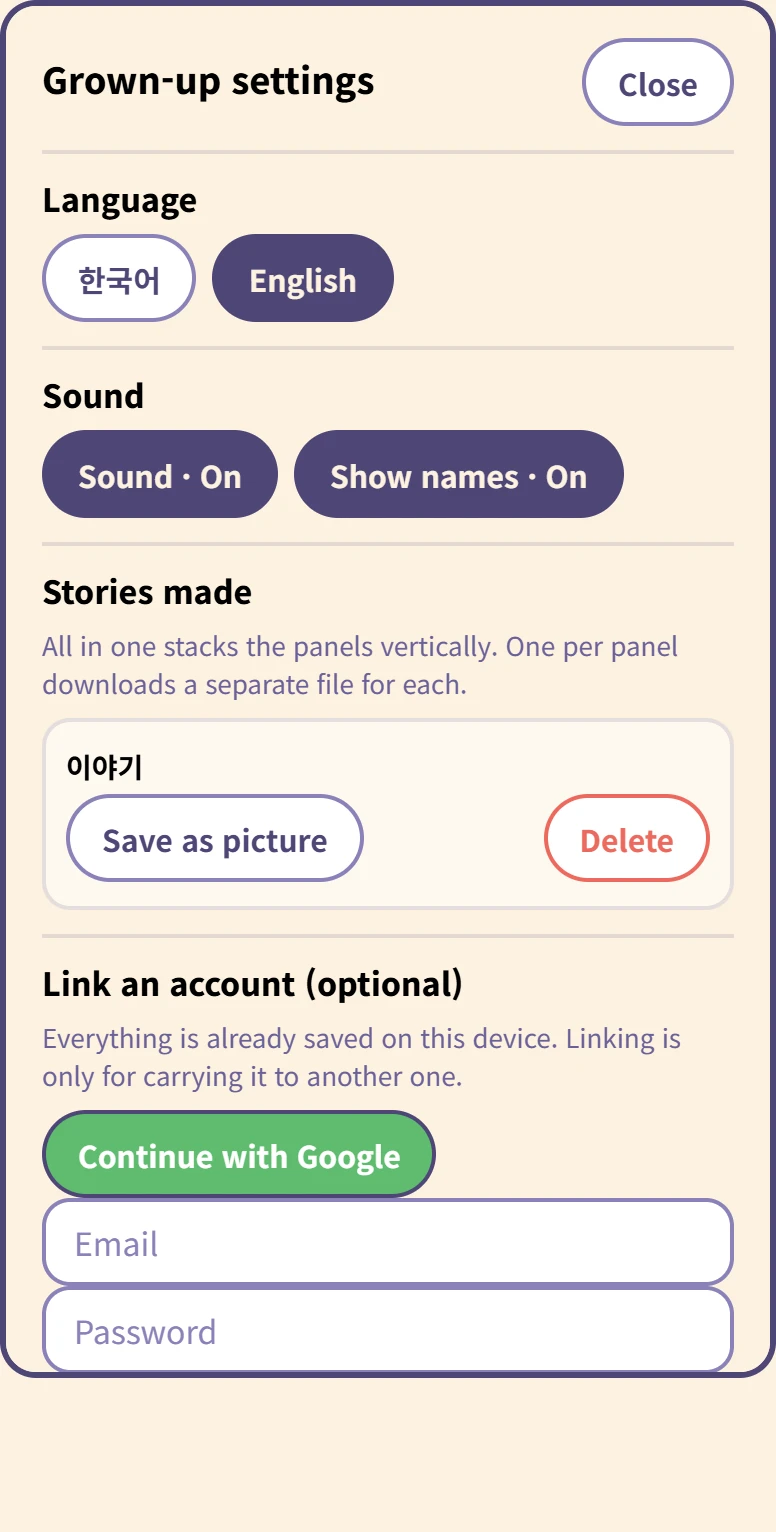
Inside the grown-up settings
Language and sound, and for each story Save as picture and Delete.
Saving asks whether you want all in one (panels stacked vertically) or one per panel. Deleting asks again, because it cannot be undone.
At the bottom, linking an account is optional. Everything is already on this device, and nothing uploads by itself.
保存はどうなりますか
保存ボタンがありません。子どもがつくっている間ずっとこの端末に保存され、タブを閉じても残っています。5歳が保存を押すことはありませんし、閉じて消えたまんがは、つくった時間がむだになるだけだからです。
アカウント連携は別の話です — 別の端末にまんがを持っていくときだけ必要で、大人が自分で押したときだけ上がります。
準備するもの
ありません。インストールも登録もなく、ブラウザで開きます。5歳から10歳を想定してつくりました。