Histoires Ddolbeng
Place tes amis et invente ton histoire
Ce que c'est
- On choisit un décor, on y place un ami, puis on décide ce qu'il fait et ce qu'il ressent.
- On ajoute des objets et une bulle, et une case est terminée. Jusqu'à vingt cases dans une bande dessinée.
- On fait glisser les cases pour changer leur ordre. D'abord, ensuite, puis, enfin : le squelette d'une histoire.
- Une fois terminé, on lit l'histoire. C'est l'écran que l'enfant vous montre en retournant la tablette.
Voir les seize jeux en une vidéo
Ce que l'enfant apprend
Rien n'est évalué et rien n'est noté. L'apprentissage est dans le matériel.
- Les mots - 60 décors, 852 objets, 20 amis. Tout ce que le doigt touche porte un nom.
- Les émotions - choisir un visage, c'est choisir une émotion : content, triste, surpris, curieux.
- L'ordre - remettre les cases dans un autre ordre, c'est l'exercice. Il n'y a pas de mauvais ordre.
- Dire et écrire - l'enfant qui ne sait pas encore écrire insère un mot d'une touche ; celui qui sait, l'écrit.
Aux parents
- Il n'y a pas de bonne réponse. Aucun blanc à remplir, aucun score, aucune étoile. Ce que l'enfant a fait est la réponse.
- Rien ne presse l'enfant. Aucune notification et aucune série à tenir.
- Pas de publicité et pas d'achat. Rien qu'un enfant puisse appuyer par erreur.
- Aucune galerie des travaux des autres enfants. Il n'y a ici aucun espace où les enfants se voient entre eux.
- Tout reste sur cet appareil. Rien n'est collecté tant qu'un adulte n'a pas relié de compte, et ce choix lui appartient.
- Les réglages se trouvent derrière un appui long de trois secondes.
What each screen is for
Written so you can read it aloud to your child if that helps.
Look at the ⚙ at the top right first. Everything a grown-up needs is behind it — language, sound, saving a picture, deleting a story, linking an account. It opens only after a three-second press-and-hold, so a child will not wander in.
The list
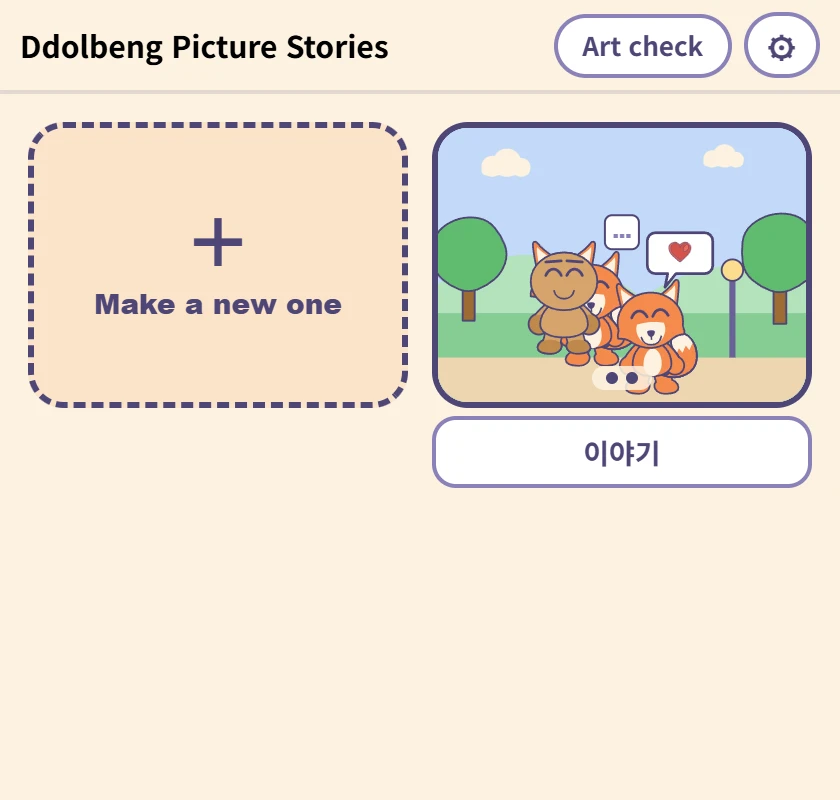
Where the stories a child has made live. The picture is the first panel, and the box underneath is the name — type in it and it saves, with nothing to press. It comes with a name already, for children who cannot write one yet.
Making a comic
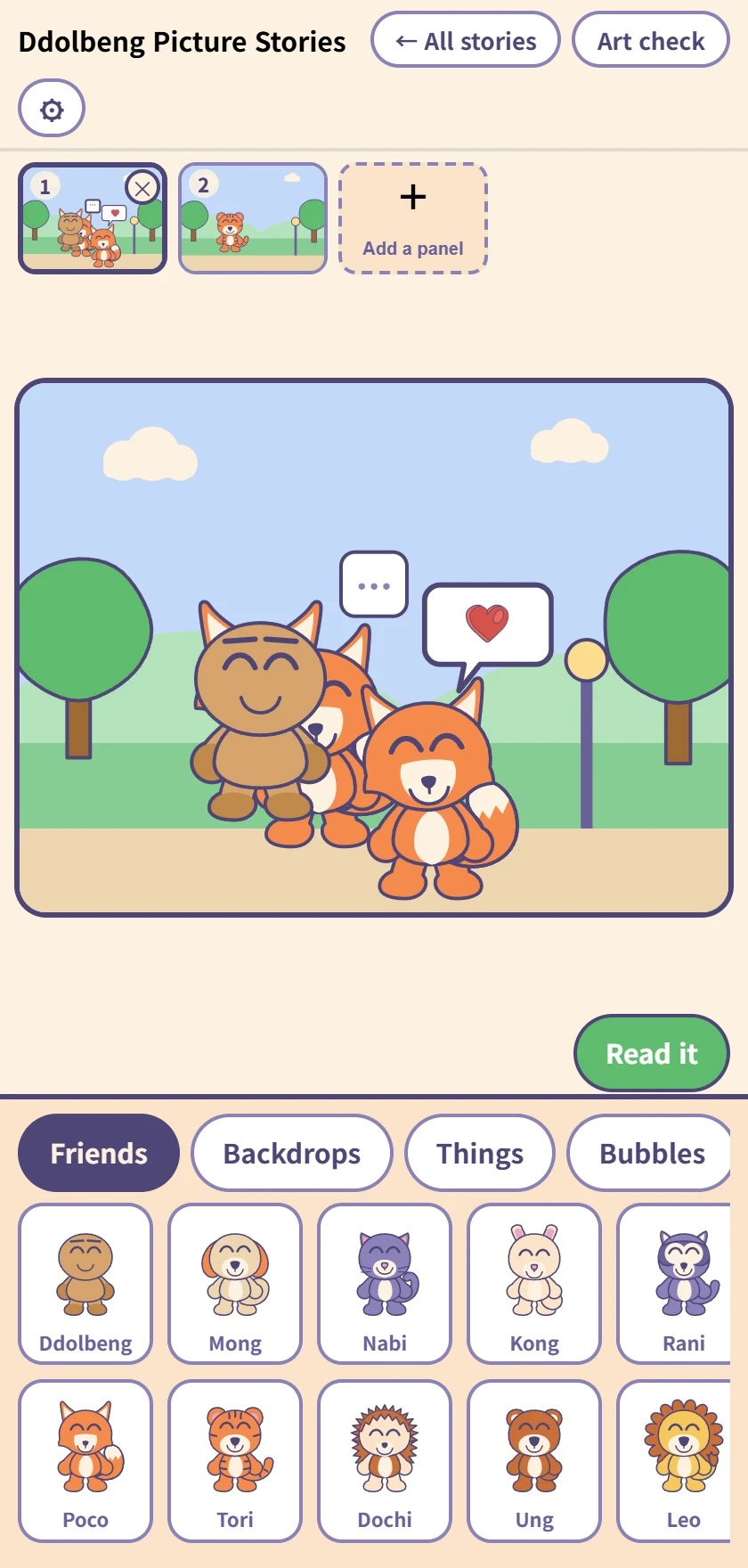
The row of panels at the top, the panel being worked on in the middle, and the drawer below. Tap a friend, backdrop, thing or bubble to put it in; once it is in, it drags.
Up to twenty panels, and dragging the little pictures at the top changes their order. Undo and redo reach everything.
Tapping a friend you placed
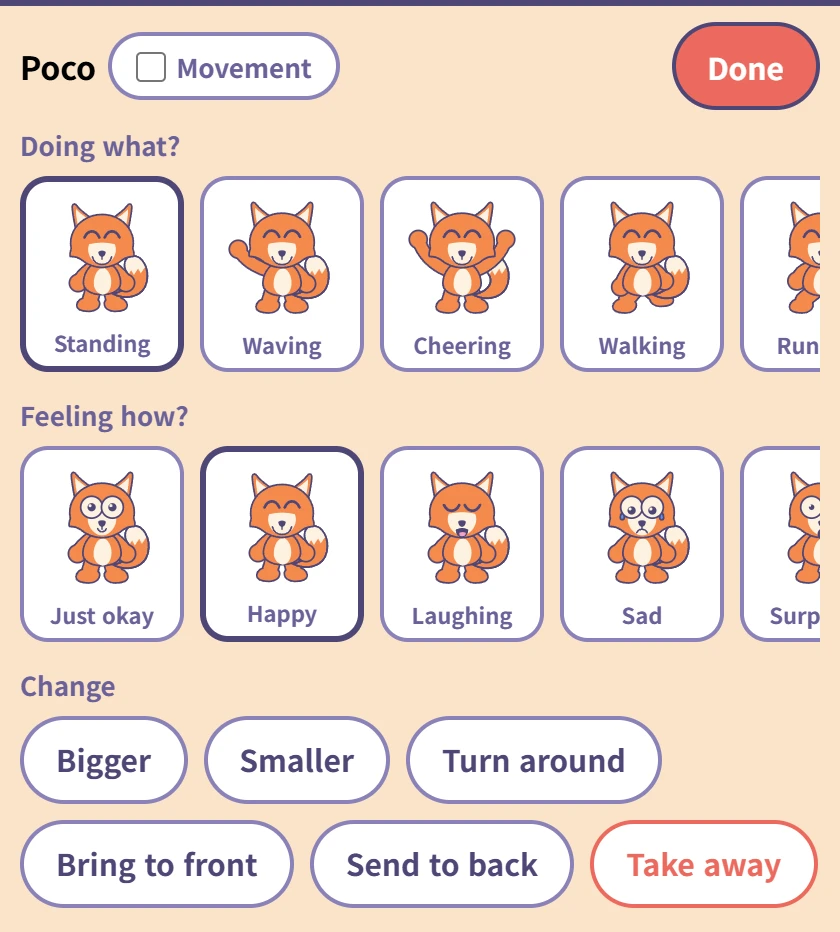
Choose what they are doing (ten poses) and how they feel (ten faces). Each one has its word underneath, so a child who cannot read yet still meets the word when you read it to them.
The Movement tick beside the name makes that friend move on screen — saved pictures always show them still. The red Done at the top right goes back to the drawer.
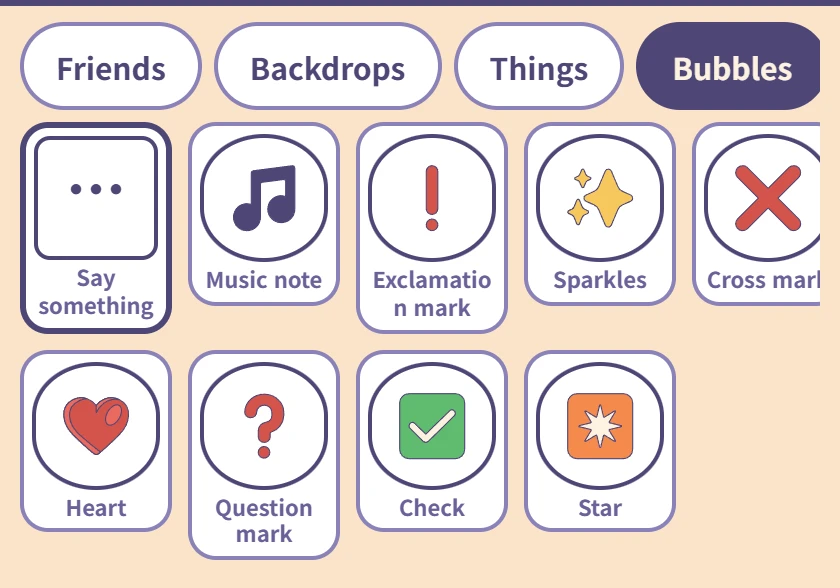
Bubbles
Only Say something, on the left, takes words. A child who cannot spell taps in Hi! · Thank you · Let's play; one who can, types.
The rest are picture bubbles — a heart, a music note, a question mark, and nothing to type.
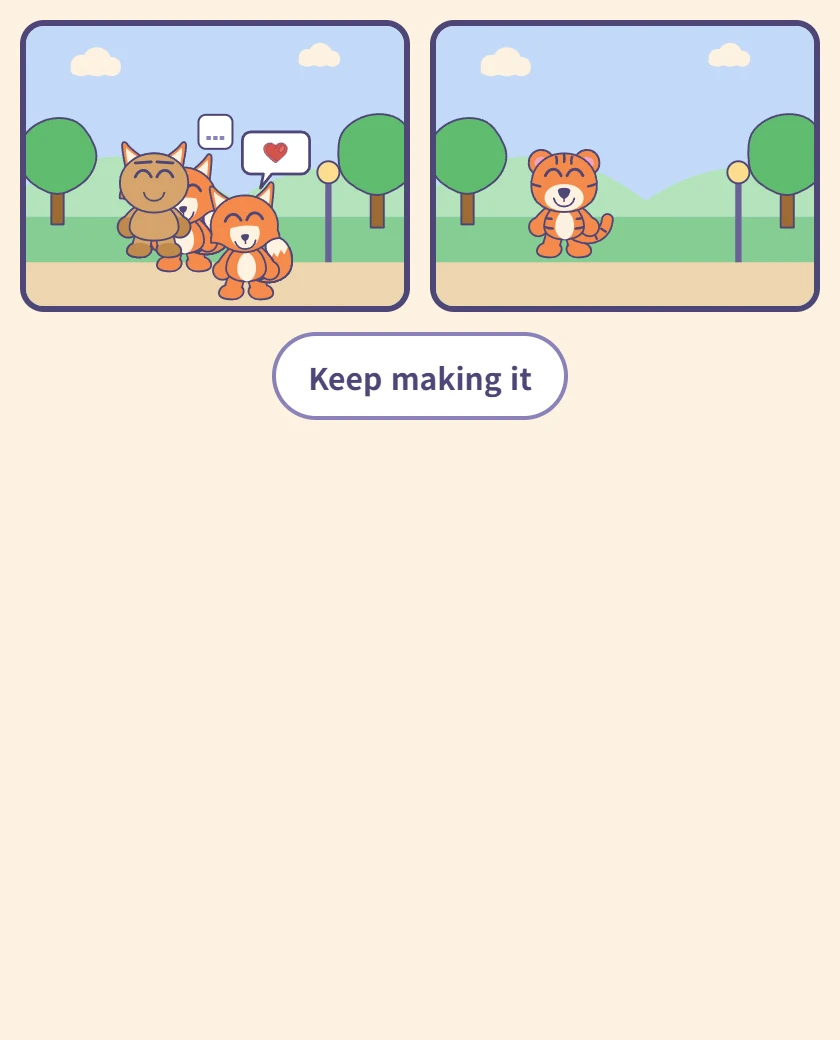
Reading it
The panels in order on one screen. This is the screen a child turns the tablet around with, so there is nothing else on it.
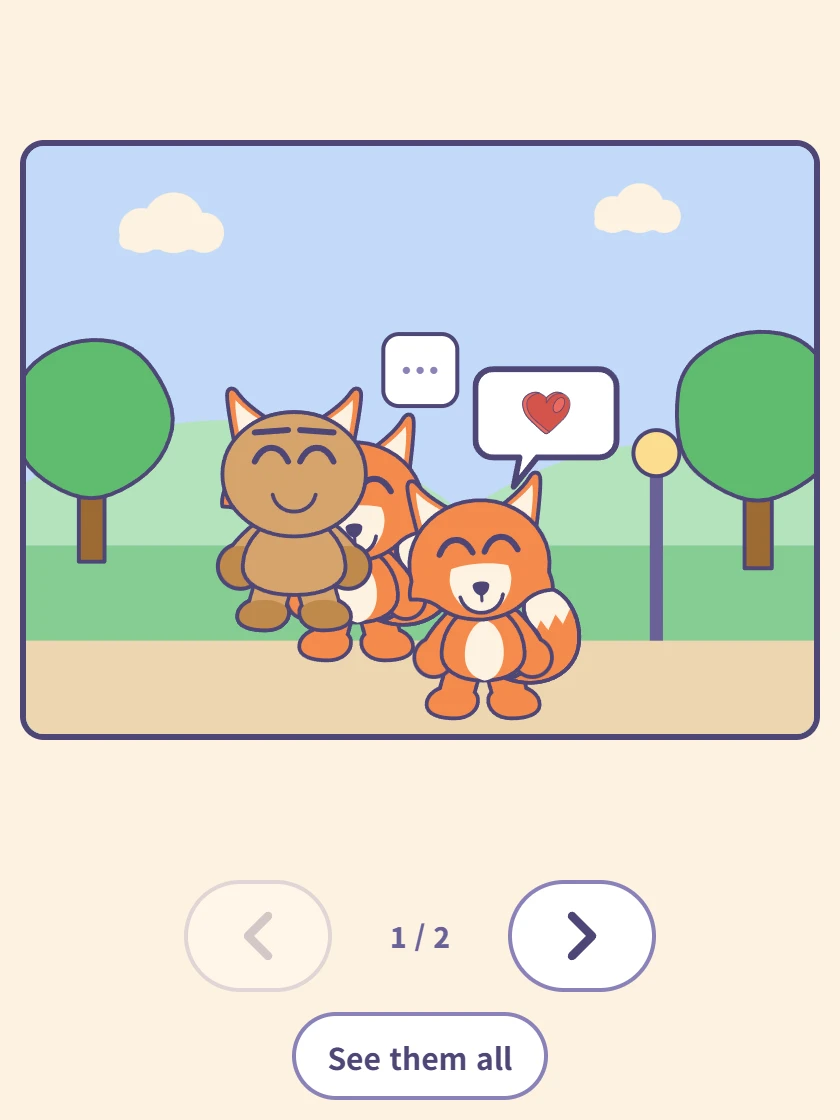
One panel at a time
Tap a panel and it fills the screen. The arrows underneath move forward and back, and the counter shows where you are.
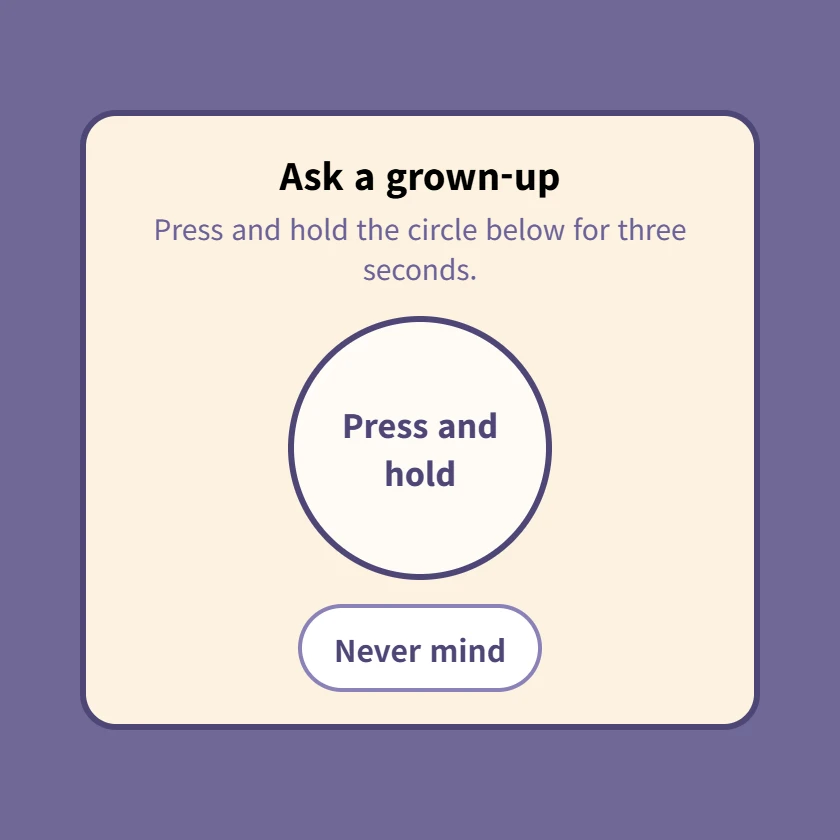
⚙ The grown-up check
Pressing ⚙ brings this up first. Hold the circle for three seconds; letting go starts it over. Settings and account linking are all behind it.
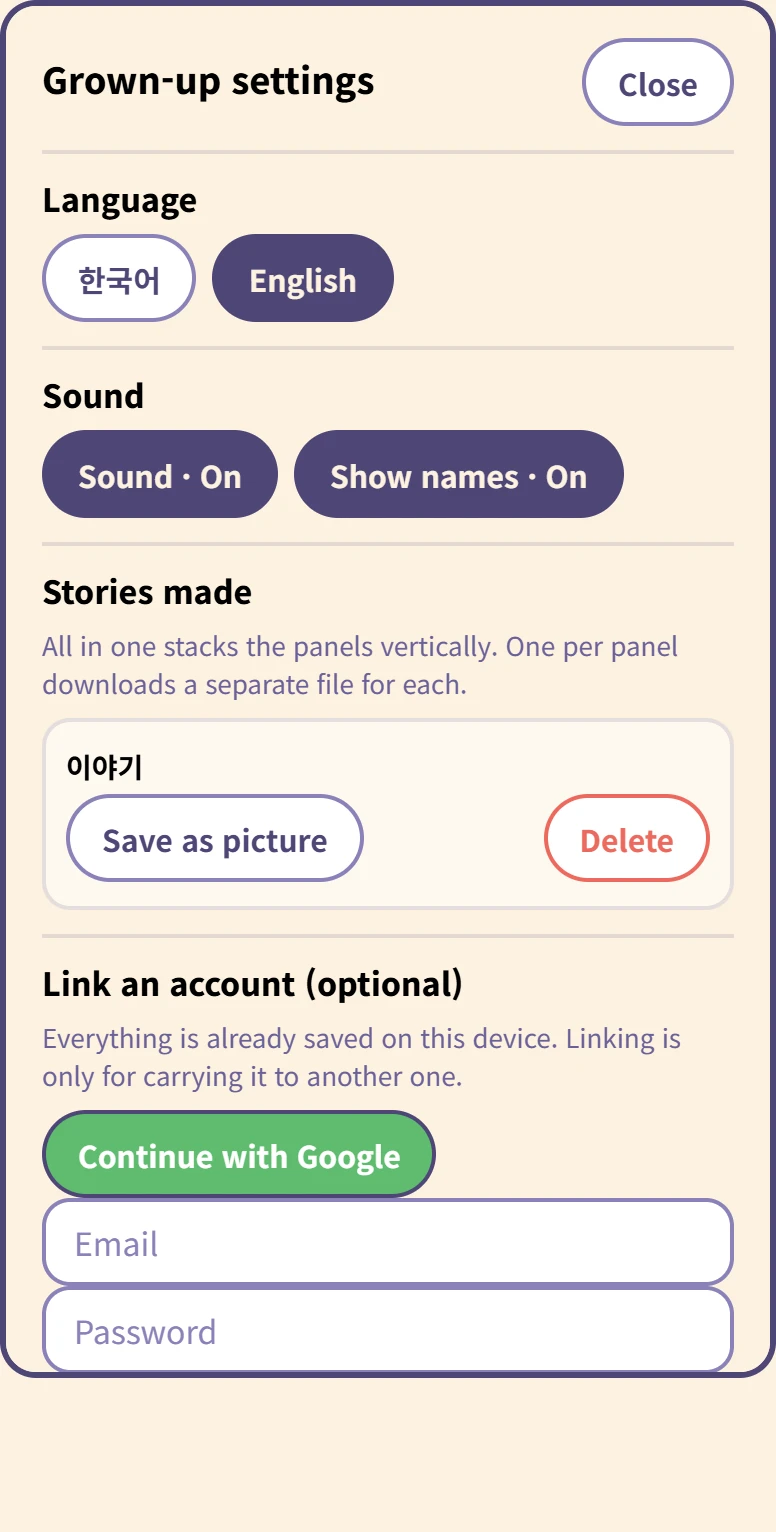
Inside the grown-up settings
Language and sound, and for each story Save as picture and Delete.
Saving asks whether you want all in one (panels stacked vertically) or one per panel. Deleting asks again, because it cannot be undone.
At the bottom, linking an account is optional. Everything is already on this device, and nothing uploads by itself.
Comment fonctionne l'enregistrement
Il n'y a pas de bouton d'enregistrement. La bande dessinée est conservée sur cet appareil pendant que l'enfant travaille, et elle est toujours là quand l'onglet est fermé. Un enfant de cinq ans n'appuiera pas sur enregistrer, et une bande dessinée perdue avec un onglet fermé est une bande dessinée faite pour rien.
Relier un compte est autre chose : cela sert uniquement à emporter les bandes dessinées sur un autre appareil, et rien ne part tant qu'un adulte n'appuie pas.
Ce qu'il faut
Rien. Cela s'ouvre dans un navigateur, sans installation et sans inscription.